




★★★★★4.9 from 2,400 students

The blocker you can't talk yourself out of.

Pick a length. Press Start twice. Until the timer runs out, the sites and apps you chose are gone, and nothing on your Mac will bring them back. Not even you.

Download for Mac Download on theMac App Store

Free for 7 days. macOS 14 or later, Apple silicon and Intel.

youtube.com
Locked
youtube.com
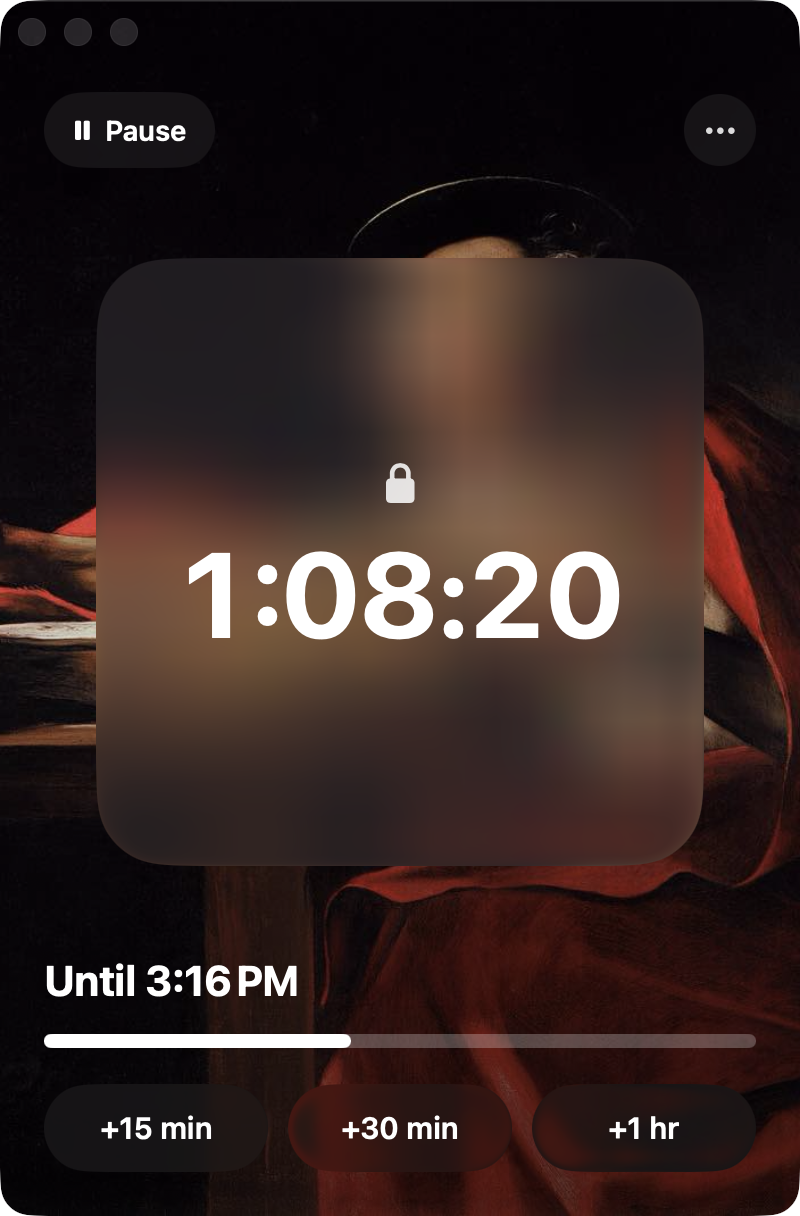
1:08:20
Saint Jerome Writing, Caravaggio
FocusLock counting down over a painting
The Ninth Wave, Ivan Aivazovsky
530,000sites blocked
30 dayslongest lock
1way out
117paintings

Why it holds

Other blockers ask nicely.

Most can be switched off in a click, which is exactly when you'll click. FocusLock runs underneath your account, where your worst self can't reach it.

It can't be quit

No pause button, no settings to undo, no uninstalling. Restart the Mac and it's still locked. Change the clock and it doesn't care.

It bites at once

Sites are gone within a second of pressing Start. A tab that's already open turns into a painting in front of you.

No back doors

Browsers it can't hold to the block are quit. So are VPNs, games and chat apps on your lists, within two seconds of opening.

Research

It's not a willpower problem.

What researchers found about attention, screens, and limits you can undo.

47%

of the day, the mind is somewhere else

2,250 adults were asked at random moments what they were doing and thinking. Minds wandered 46.9% of the time, and people were less happy when they did.

89%

set a limit when offered one

About 2,000 people, 12 weeks. Most chose limits on their own apps. Limits they could snooze gave back more than half the time they meant to save.

3 hrs

of social media a day is linked to anxiety and depression in teens

6,595 US teenagers followed for a year. Those above three hours a day were more likely to report symptoms than those who used none.

1 hr 57

of phone a day, then well-being starts to fall

120,115 fifteen-year-olds in England. Well-being peaked at just under two hours of weekday smartphone use and declined with more.

40

studies tie problematic internet use to weaker self-control

Pooled results from 2,922 people. Those with problematic internet use did worse on tests of attention control, decision-making and working memory.

University of CambridgeSource
2×

the rate of new attention problems in the heaviest users

2,587 teenagers followed for two years, in a study funded by the NIH. ADHD symptoms appeared in 9.5% of the most frequent digital media users and 4.6% of the least.

Sessions

An hour. Or the whole exam season.

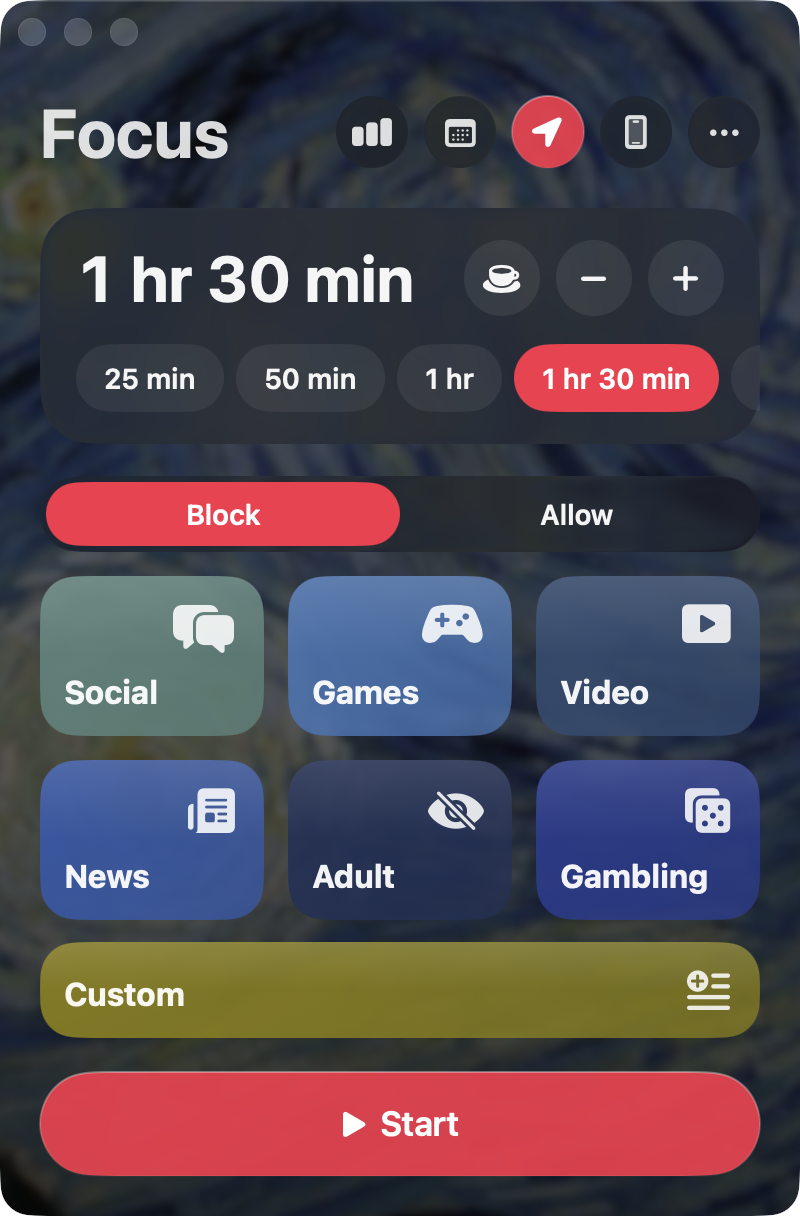
Lock for 25 minutes or 30 days. Before it starts, FocusLock shows you exactly what you're agreeing to. The second press makes it real.

  • Block lists, or allow only the sites you name
  • Weekly schedules that start by themselves
  • One three-minute pause a day, then it locks again
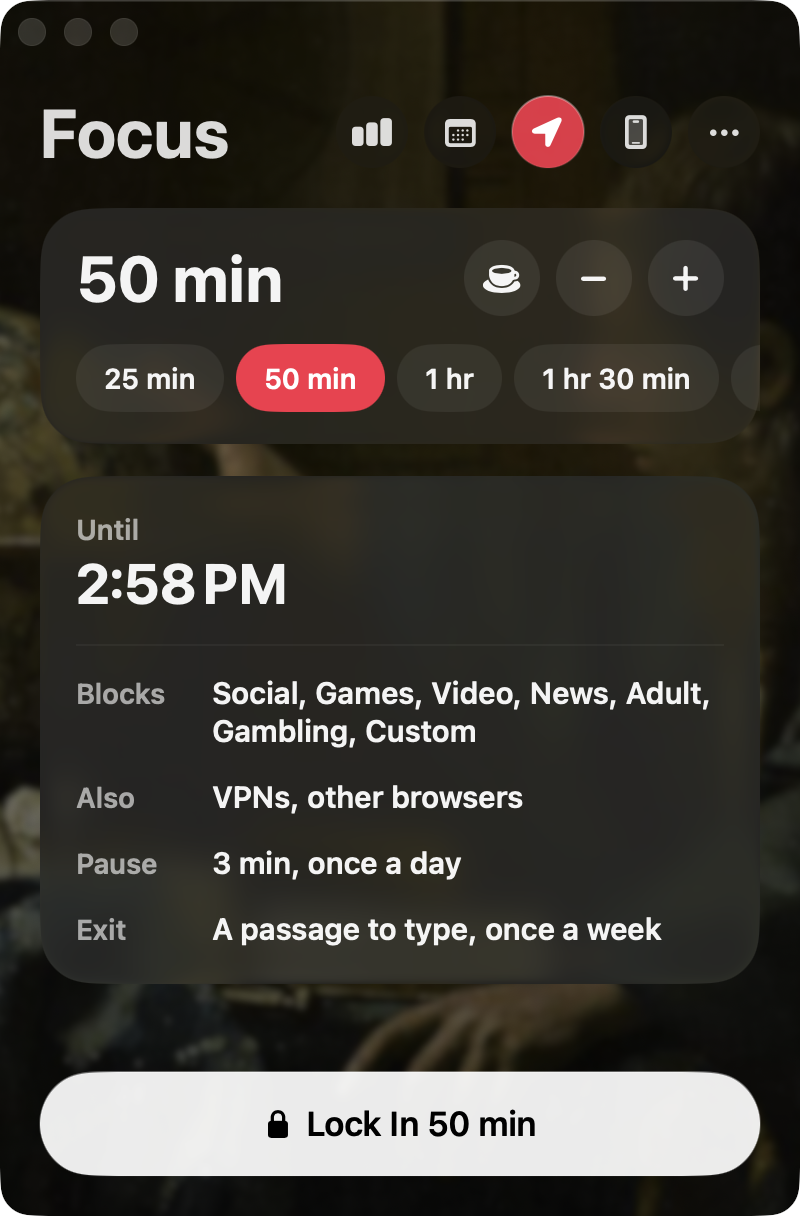
The confirmation before a lock
Choosing a length and what to block

Places

Walk into the library. It locks.

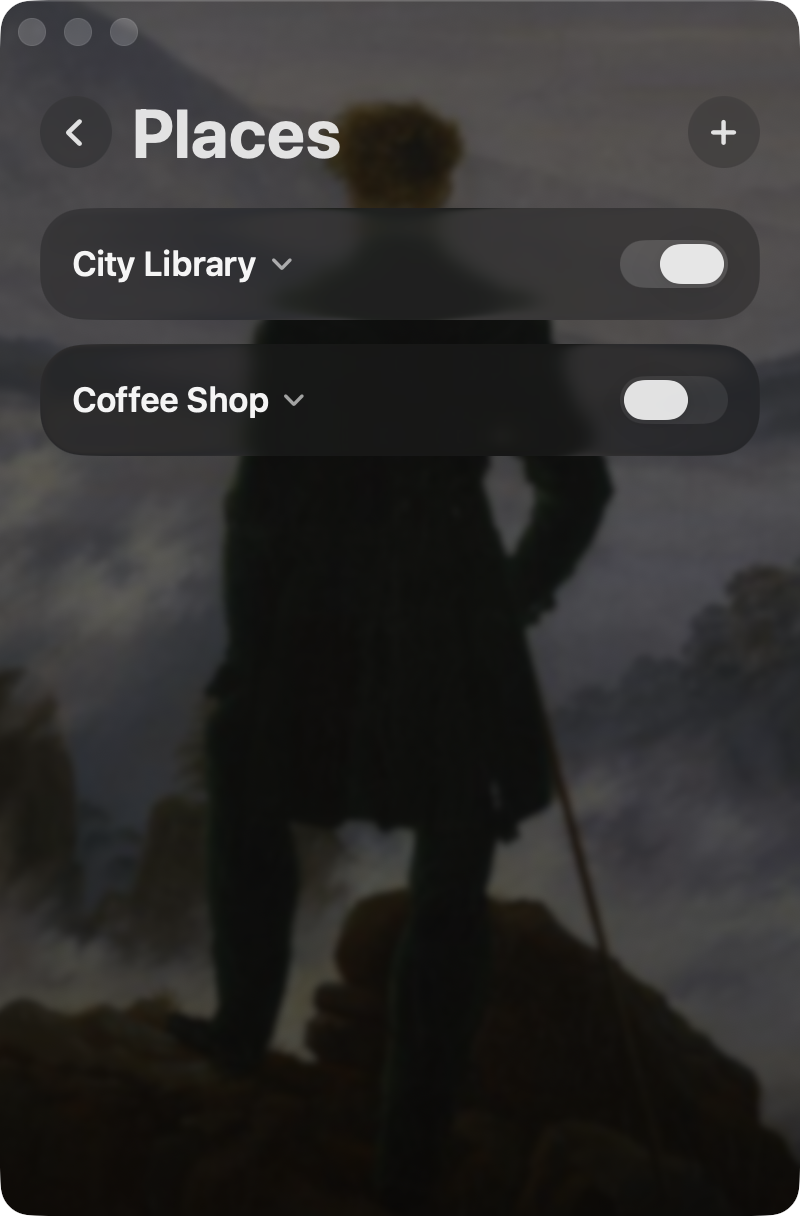
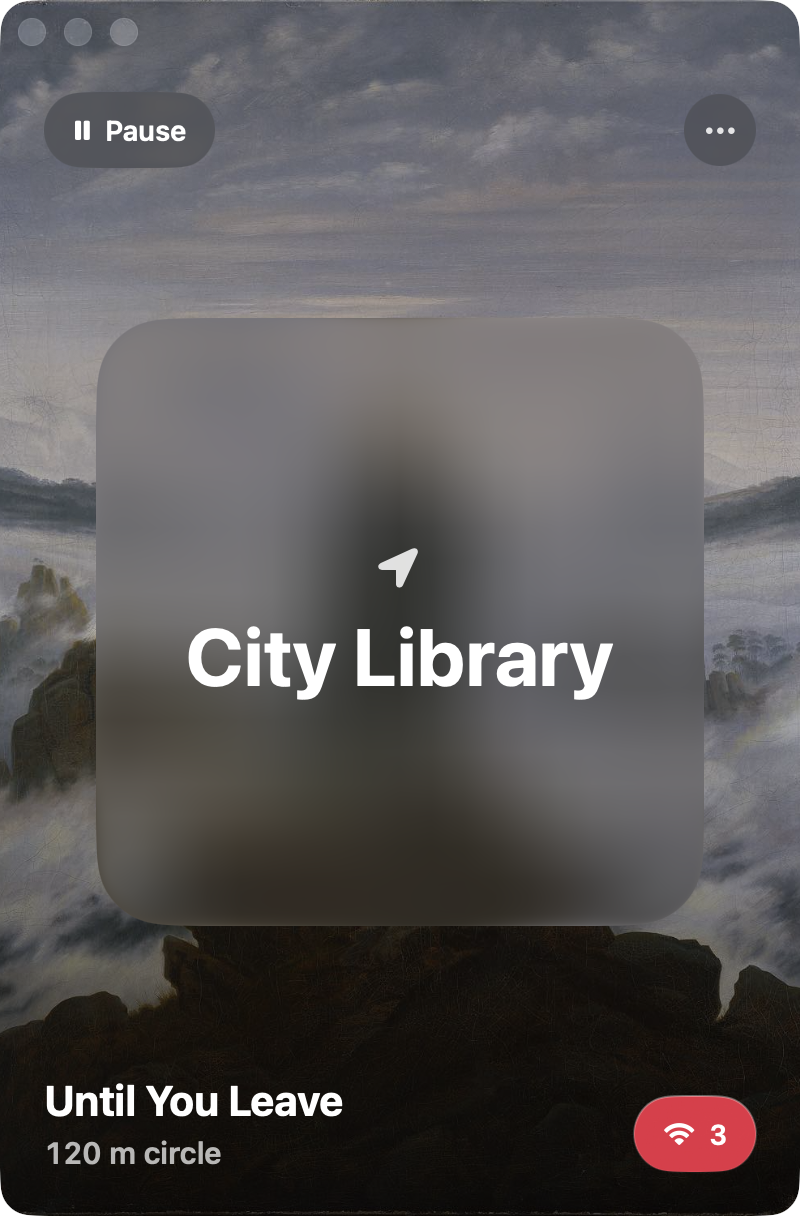
Choose a place and FocusLock starts when your Mac arrives, by location and by the Wi-Fi it hears there. It ends when you leave, and not before.

Saved places
A session held by a place

The exit

One way out. Type Shakespeare.

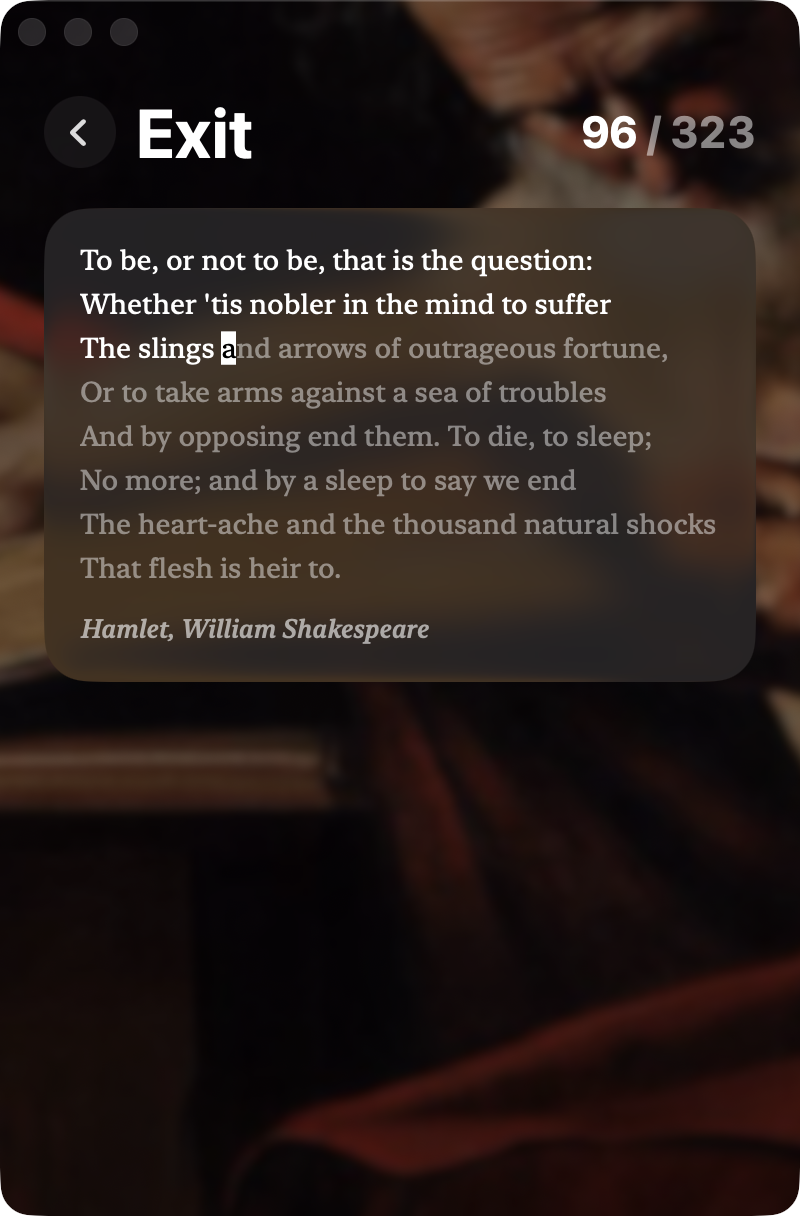
For a real emergency there is a door: a passage of Shakespeare, Homer or Dostoevsky to type exactly, with every slip sending you back a line. Once a week. It is meant to be hard.

The emergency exit: a passage to type

Screen time

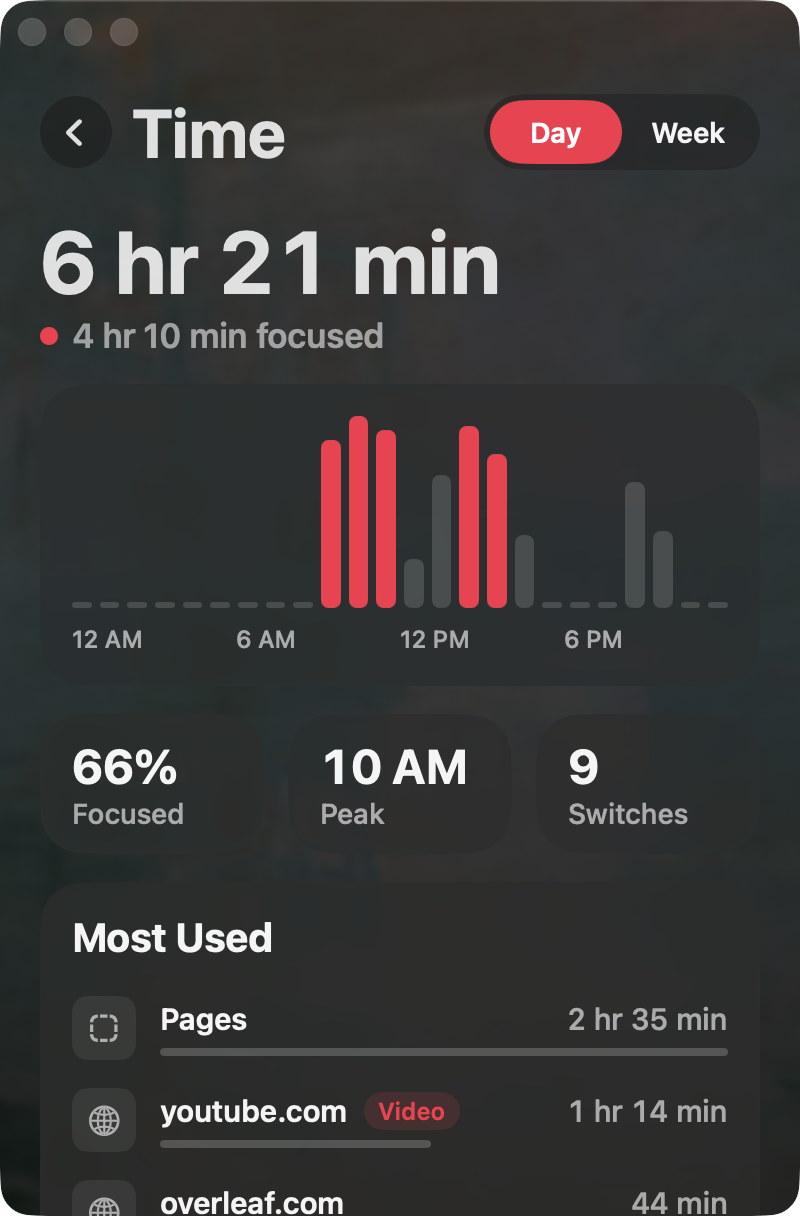
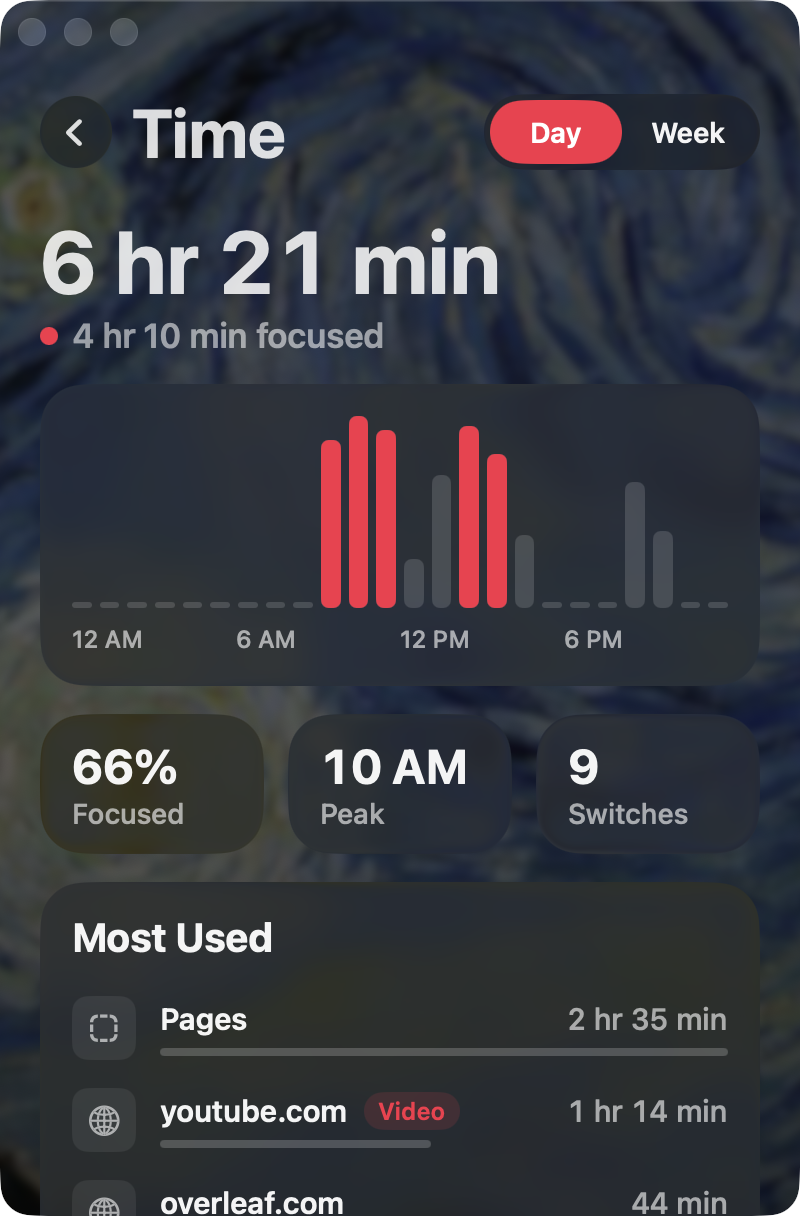
See where the hours went.

Every app and site, hour by hour, and how much of it was real focus. Once a week FocusLock finds what's been slipping through and blocks it for you.

  • Stays on your Mac, never uploaded
  • Fixes you can undo with one click
Screen time for the day
Most used apps and sites

iPhone

Lock your Mac from your pocket.

A widget shows whether the Mac is locked and for how long. Tap it to start a session before you sit down, or to add another half hour from across the room.

Focus
Thursday, 19 November
2:41
Locked1:08:20
FocusLocknow

Your Mac is locked until 3:50 PM.

QUIET

Made for the long sit

The quiet you used to have.

The reading room before phones. Three hours on one problem. FocusLock doesn't make you disciplined. It makes discipline unnecessary for a while.

Compared

The difference is the lock.

Screen TimeBrowser extensions
You can't switch it off mid-session
Blocks apps as well as sites
Works in every browser at once
Clears tabs that are already open
Starts by itself where you study
Locks for up to 30 days

Students

"I tried to cheat. I couldn't."

I've uninstalled every blocker I ever owned at 11 PM. This is the first one that was still there in the morning.

Maya, engineering

It locks the second I sit down in the library. I stopped deciding whether to work. I just work.

Daniel, law

I typed half of Hamlet to get out once. I have never needed to leave badly enough to do it twice.

Priya, medicine

Price

Pay once. Keep it.

No subscription for the thing that's meant to get you off subscriptions.

Trial

Free7 days
  • Everything, unlocked
  • No card needed
  • Sessions up to a day
Start the trial

FocusLock

$49once
  • Mac app and iPhone companion
  • Locks up to 30 days
  • Places, schedules, screen time
  • Every update
Download for Mac

Questions

What if I really need to get out?

There is one emergency exit: a passage of classic literature that you type exactly, once a week. It takes several minutes and full attention, which is usually enough time to decide you didn't need out after all. You also get one three-minute pause a day.

Can't I just delete the app?

Not during a session. The app, its blocker and its lists are locked in place until the timer ends, and the blocker restores anything that's changed within two seconds. Restarting doesn't help, and neither does changing the date.

Does it see what I browse?

FocusLock runs entirely on your Mac. Screen time is kept in your own Library folder and never uploaded. The optional weekly review sends only the names of a few heavily used sites to check what they are, and it is off until you switch it on.

Which browsers does it work with?

The block applies to the whole Mac, so every browser is covered. Open tabs are cleared in Safari, Chrome, Brave, Edge and Vivaldi. Browsers that could go around the block are quit for the length of the session.

Where do the paintings come from?

They are public-domain works from museum collections, in copies from Wikimedia Commons. Every one is credited in the app. If you'd rather not have them, one switch brings back a plain look.

Lock in.

The next hour is yours. Take it.

Download for Mac